Building a Kiosk App That Doesn't Hate You: Lessons from MobiLauncher
MobiLauncher runs as a static React kiosk inside SOTI's WebView, configured at launch by MDM attributes and hardened for unreliable devices, stale config, and zero DevTools.
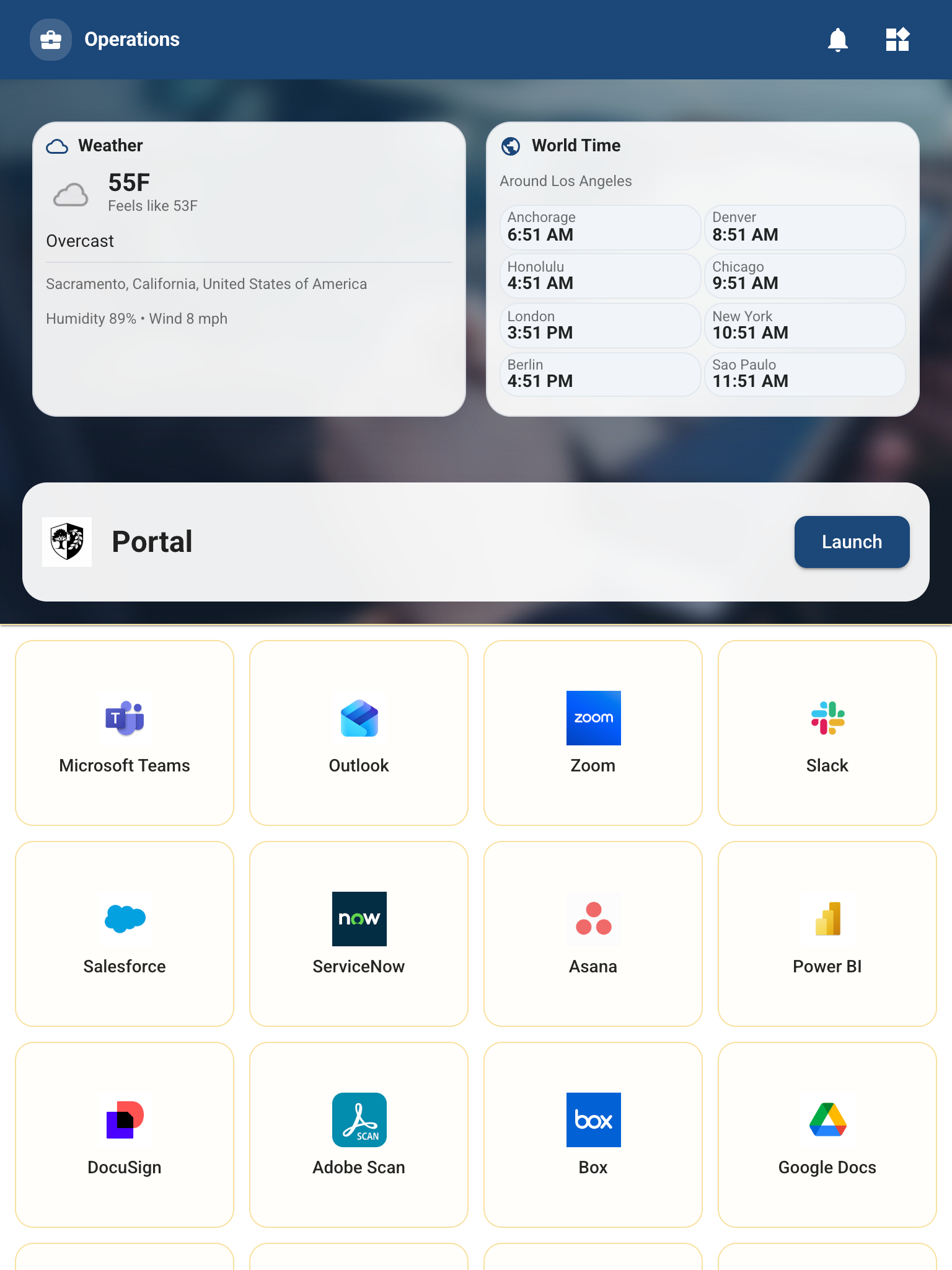
Nobody sets out wanting to build an MDM kiosk launcher. You get handed a rugged Android device, a URL, and a requirement like “make it impossible for the user to do anything except this.” A few months later you’re debugging a locked-down WebView on hardware that doesn’t care how polished your local Chrome experience was.
That’s MobiLauncher. It’s a static React and TypeScript app that ships as flat assets, launches inside SOTI MobiControl, and shapes itself at runtime based on device-side attributes and macros. Building it taught me more about reliability, diagnosability, and defensive UI than most normal web work ever will.
The environment is not a browser
The first thing kiosk work beats into you is that your app does not run in Chrome. It runs in a WebView packaged with the agent and the device firmware you actually deployed. On our side that meant PeopleNet-era Android hardware first, then larger Samsung and Zebra fleets managed through SOTI MobiControl. These are operational devices, not lifestyle gadgets. Their update cadence reflects that.
In practice, that changes the engineering standard:
- CSS and JavaScript support is whatever the embedded WebView says it is, not whatever your laptop shipped last week.
- Performance budgets matter immediately because the hardware is modest and the app is always full-screen.
- There are no browser debugging comforts waiting for you in production.
The real constraint: when a field device fails, you are usually debugging by behavior, logs, and whatever instrumentation you had the discipline to build ahead of time.
SOTI’s JS agent API is powerful, and a little unforgiving
SOTI’s JavaScript agent API is what makes a kiosk shell like this useful instead of decorative. It gives the web app a live bridge into the management layer: CustomAttributes, macros, device metadata, app checks, and other operational hooks. That means the launcher can be a real control surface for the device instead of just a pretty menu.
It also means your runtime contract is only as clean as your MDM configuration. Missing attributes usually come back empty. A macro typo in the console can look exactly like a broken feature. Agent behavior varies across versions. If you don’t wrap that surface with consistent fallbacks and logging, your users end up testing your MDM profile for you.
Runtime configuration without a backend
One of the more interesting parts of MobiLauncher is that there is no backend at launch. The app is a static export. One build has to land on different devices, in different groups, for different business units, with different themes and different feature sets.
The solution is simple and surprisingly durable: the MDM layer injects values into the document root before the app boots, and the app reads those values into state on startup. Theme, business context, VPN state, tool visibility, launch behavior, and tenant-specific overrides all flow from HTML data attributes and config blobs, not runtime API calls.
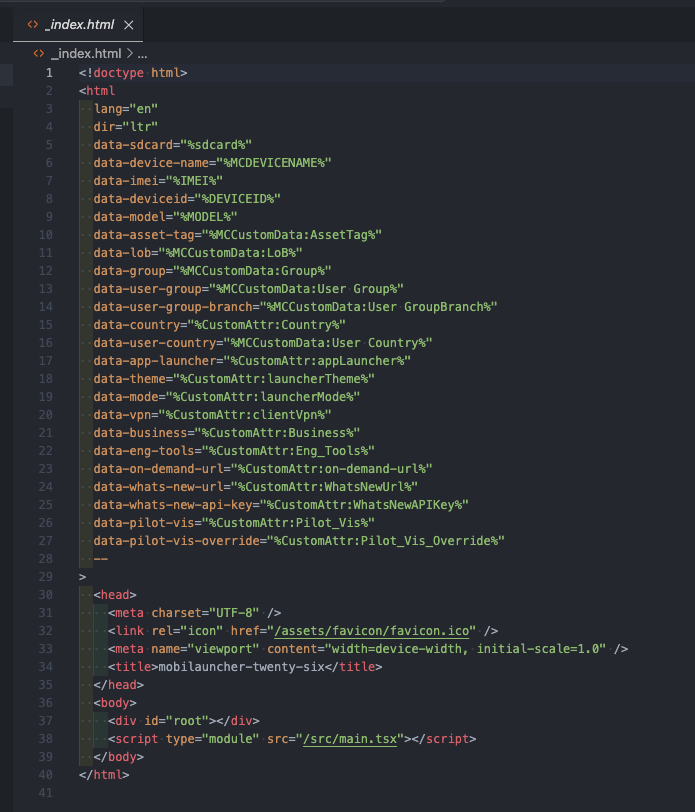
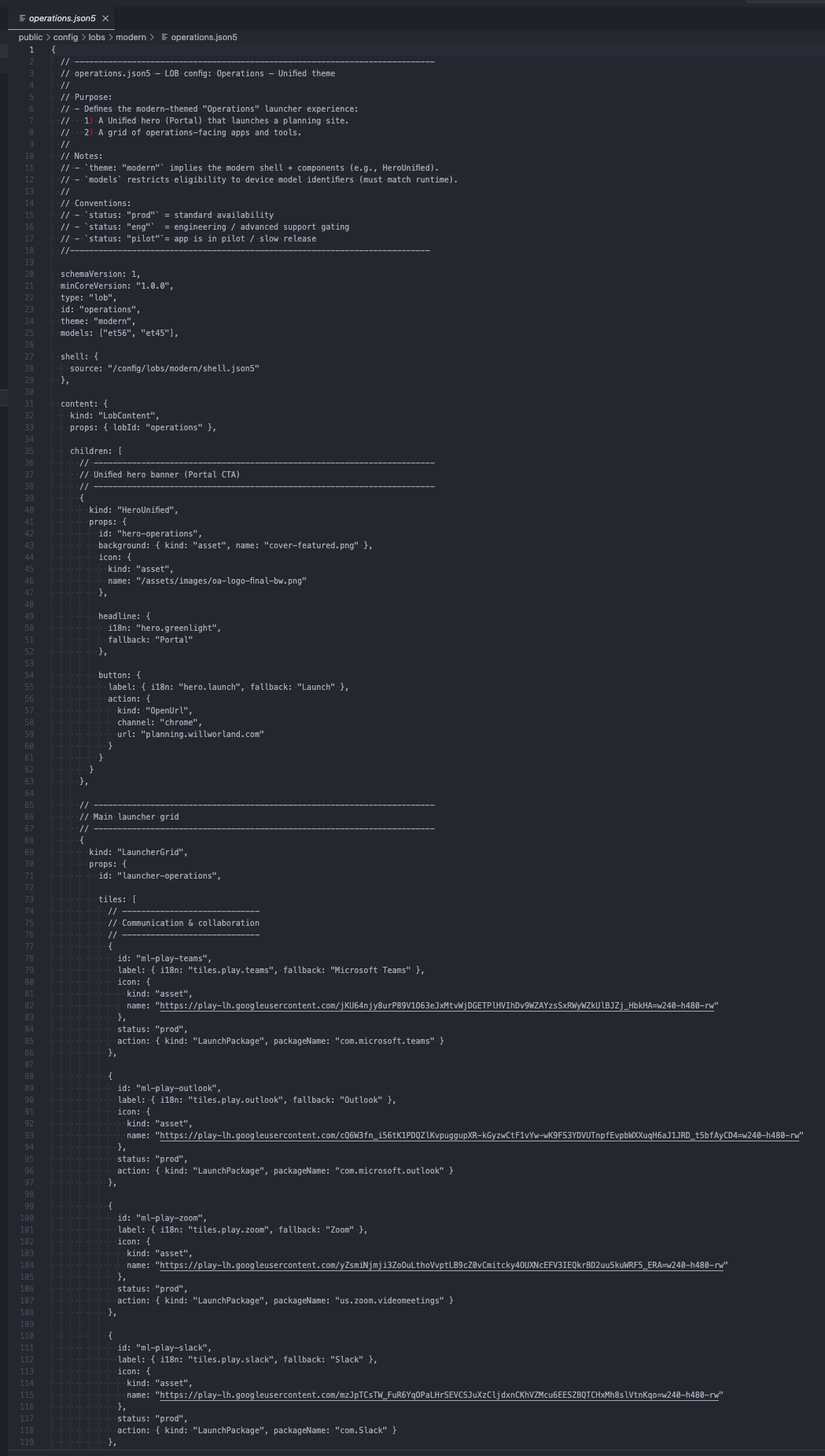
The device tells the app what world it’s in, and the app renders accordingly. For kiosk work, that contract matters more than any backend you wish you had.
The upside is obvious: no startup API dependency, a single deployable artifact, and operators changing behavior in the MDM console instead of waiting on a rebuild. The downside is that your attribute names and config schema become an API surface. Rename one carelessly and you’ve broken a fleet without changing a single visible line of UI.
Diagnosability is a feature, not a nice-to-have
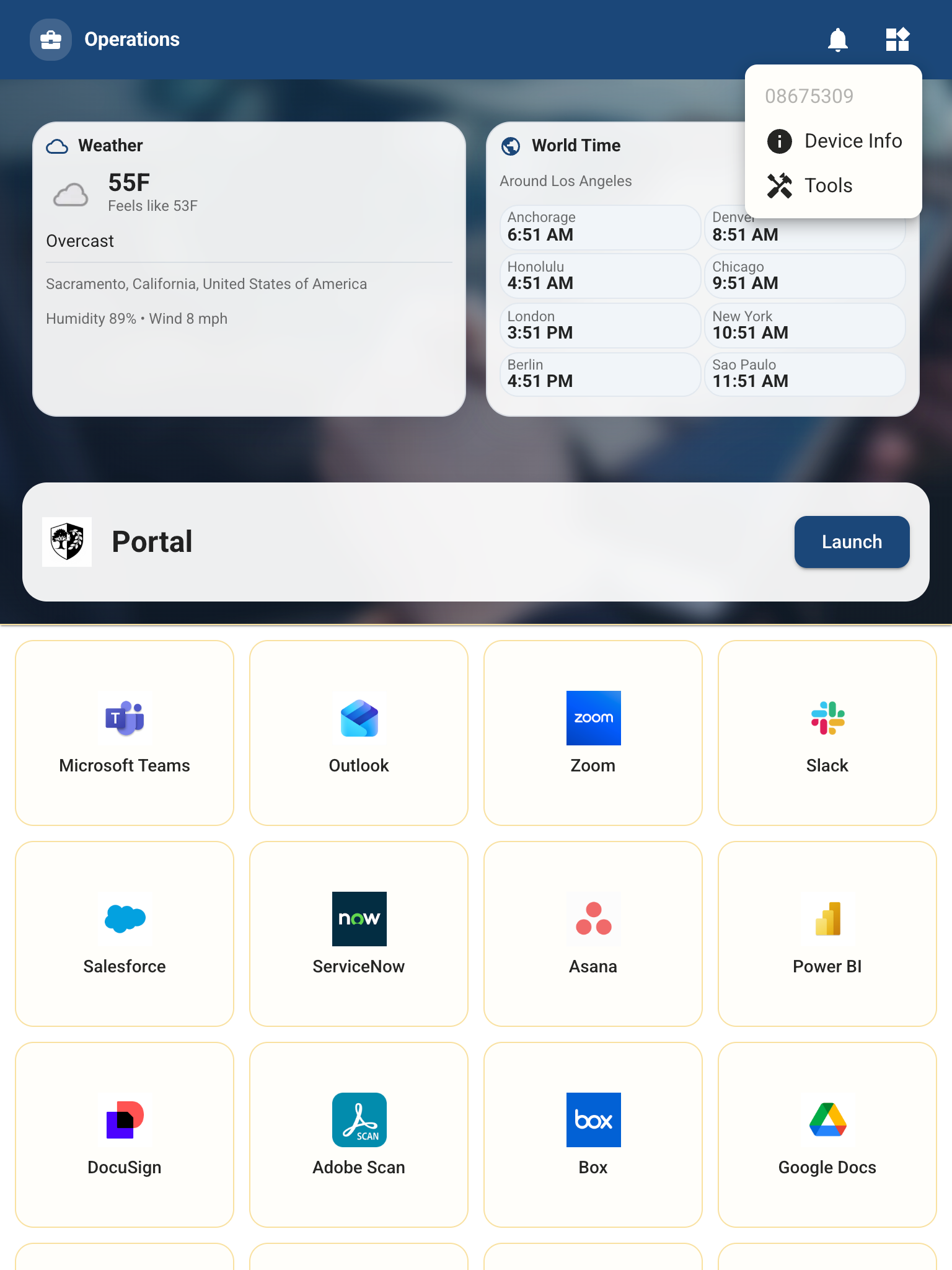
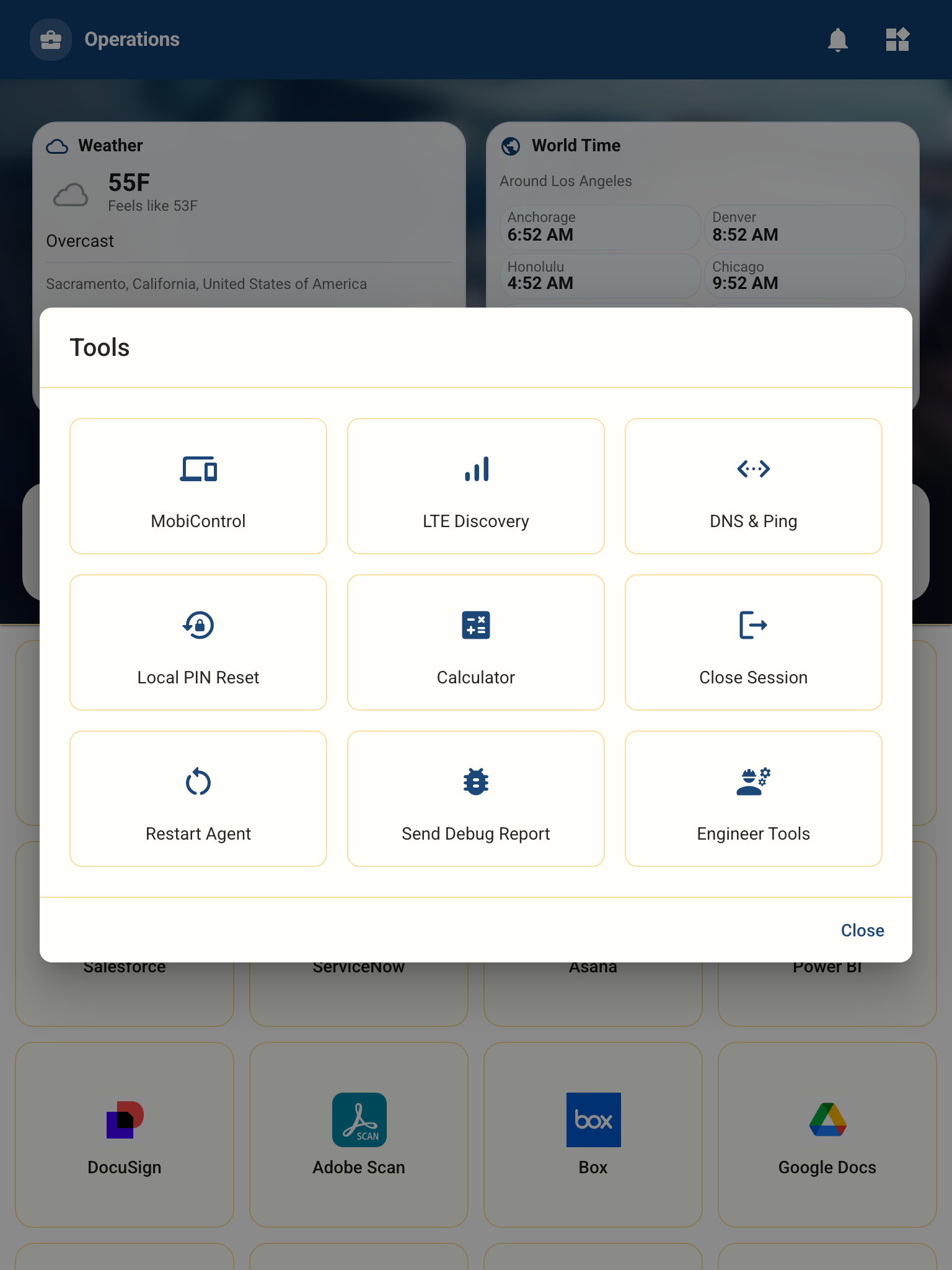
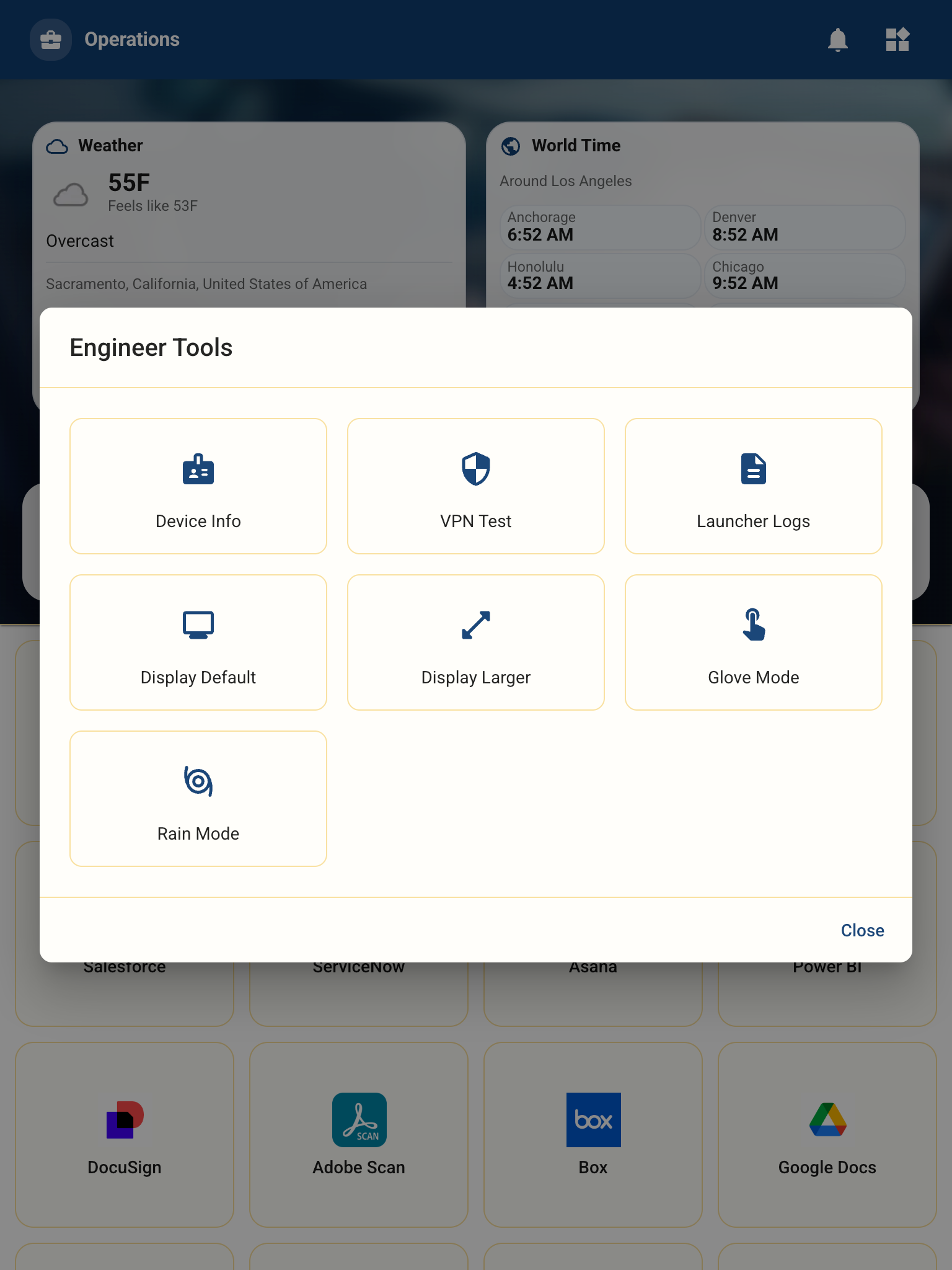
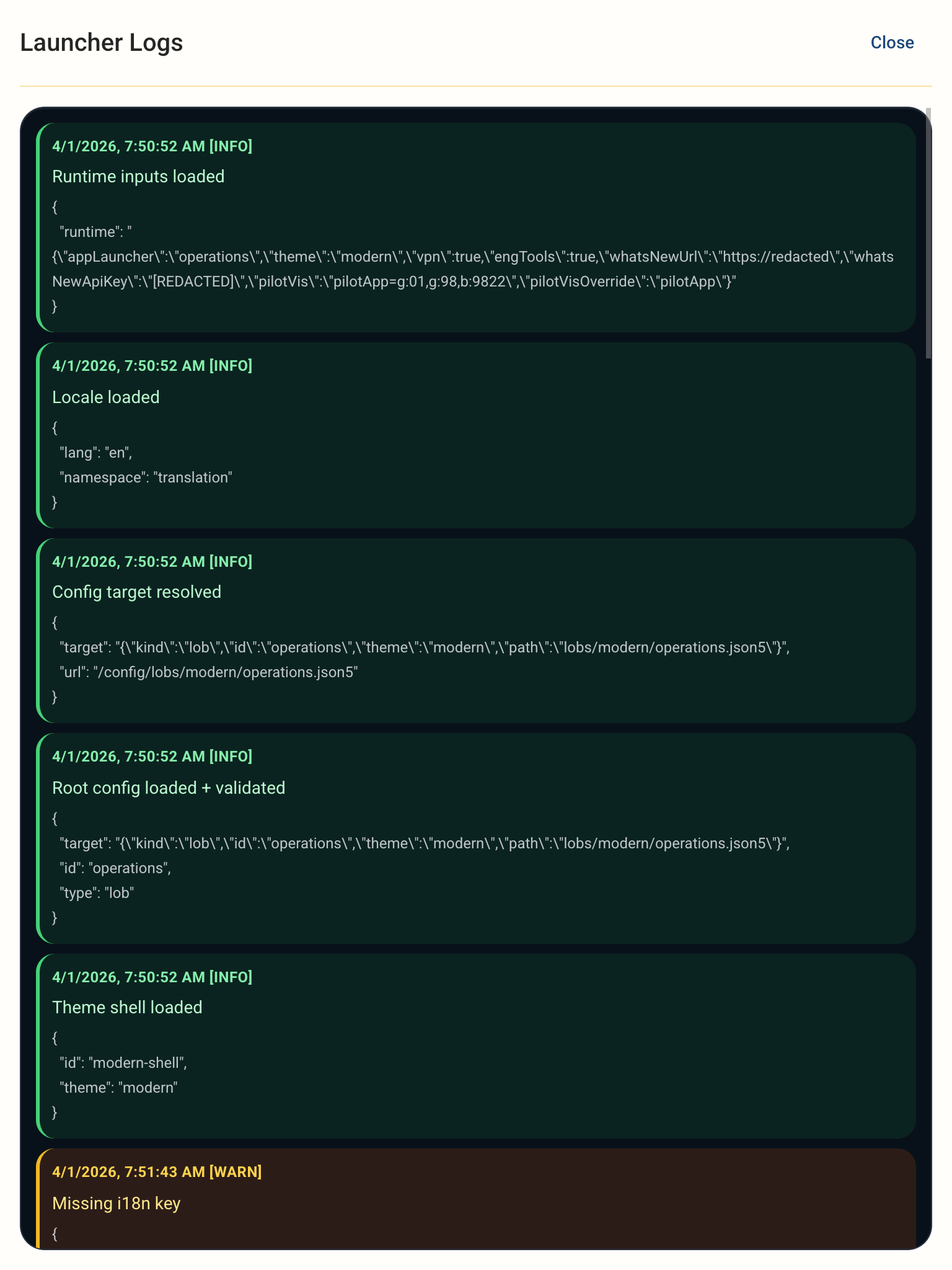
The best decision we made was building support surfaces into the product itself. In a normal web app, a hidden diagnostics panel can feel indulgent. In a kiosk environment it is the difference between remote triage and total blindness.
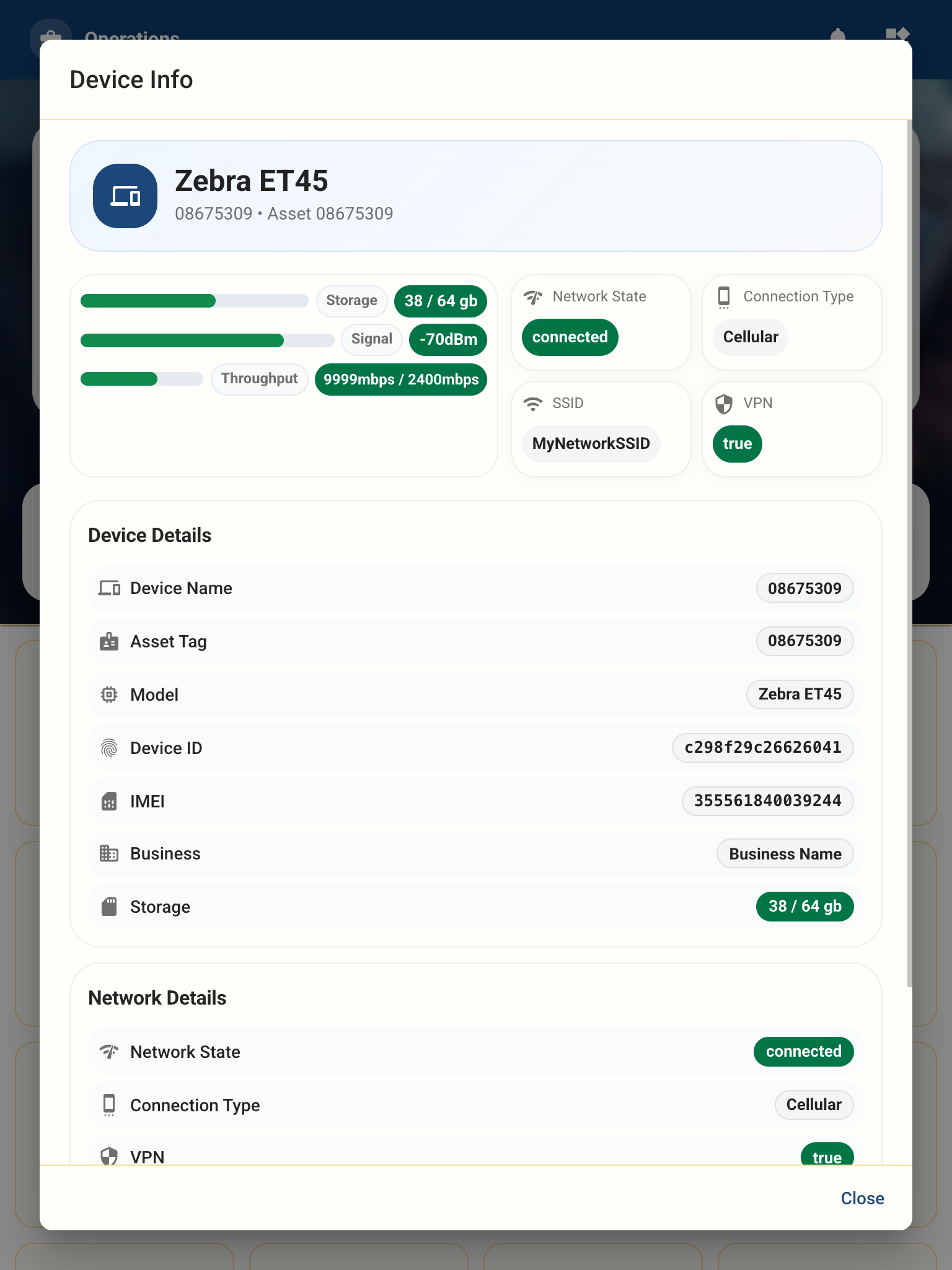
MobiLauncher eventually grew a support path that exposed device info, runtime inputs, network state, and launcher logs directly on the device. That changed the support model. Instead of trying to infer why a layout failed or a feature disappeared, we could inspect the state the device believed to be true.
UI decisions matter more when users can’t escape
Kiosk UX is harsher than normal UX because the user has no graceful exit. They cannot open another tab, work around your layout, or shrug and try again later. If a button jumps during render, it causes mis-taps. If a tile disappears with no fallback, the device feels broken. If the interface is slow, the hardware gets blamed first and your software second.
That pushed a few priorities to the front for us: reserve space for dynamic regions, keep touch targets oversized, default aggressively when configuration is missing, and budget component weight like the target hardware is always the least-capable device in the rollout. Because it usually is.
The provisioning gap is real
There is a category of kiosk failure that only appears after deployment: wrong group assignment, stale attributes, missing firmware prerequisites, late config sync, or a typo in a macro that silently strips runtime inputs. The app hasn’t changed, but the environment around it has drifted just enough to create a bad morning for someone on shift.
That gap never fully closes. What you can do is design for it. Assume configuration arrives late. Assume a field device is missing one important value. Assume the agent profile is slightly wrong. If the app still renders something coherent in those conditions, operations stay calm. If it doesn’t, you get a support incident that looks random from the outside and perfectly predictable in hindsight.
What I’d tell myself at the start
Define the runtime schema early. Attribute names and config shape are not implementation details once the MDM console depends on them.
Build diagnostics on day one. The hidden support surfaces ended up being some of the most important code in the product.
Test on actual hardware sooner. Emulators won’t tell you how a Zebra device feels under load or how a WebView behaves when the fleet is out of date.
Design every feature with a missing-config path. The default state is part of the feature, not a cleanup task for later.
Treat the MDM console like production. Because it is.
MobiLauncher is still evolving, but the core architecture has held up: static deployment, runtime configuration from MDM, defensive rendering, and first-class diagnostics. The constrained environment is exactly why those decisions lasted. When you build for the worst device on the worst network on the worst day, the rest of the fleet gets easier.