Apple's Free MDM Is Here. What It Actually Means for Your Business.
Apple Business launched April 14 and rolled MDM in for free. Here's what's actually covered, what still needs a paid platform, and how to decide which side of that line you're on.

On April 14, 2026, Apple quietly rearranged the furniture in the business device management world. The separate portals most admins had been juggling — Apple Business Manager, Apple Business Essentials, and Apple Business Connect — were consolidated into a single platform simply called Apple Business. It launched in 200+ countries and regions, and the headline change is this:
Built-in MDM is now free. No monthly per-device fee.
That’s a real shift. Apple Business Essentials used to start at $2.99/user/month — a bundled subscription that included MDM, 50 GB of iCloud storage, and Apple support for a single device. Multi-device plans ran $6.99 and $12.99/user/month (200 GB and 2 TB storage, respectively), covering up to three devices per user. You couldn’t buy the MDM portion à la carte; it was always part of the bundle. For a 20-person shop running a device each, you were looking at $700+ a year just to have a managed Apple environment. Now the device management piece is free, and iCloud and AppleCare are optional paid add-ons.
So does this kill the case for Jamf, Mosyle, Iru (formerly Kandji), Intune, NinjaOne, or any of the other paid MDM platforms? Not remotely. But the calculus changed for a specific slice of businesses, and if you’re in that slice, you should absolutely take advantage.
Here’s the honest breakdown.
What “free” actually gets you
The free tier of Apple Business is more capable than a lot of people assume. You get:
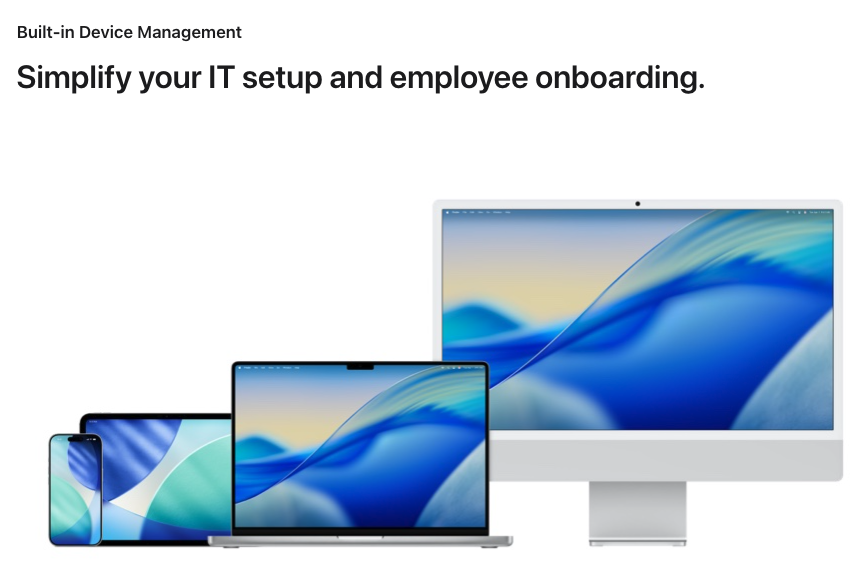
Zero-touch deployment via Blueprints. Buy a Mac, iPhone, iPad, or Apple TV from Apple or an Authorized Reseller, assign it to a Blueprint, and it arrives at the employee’s desk pre-configured. They sign in, it provisions itself. This is the feature most small businesses have been paying for elsewhere.
Basic device configuration and security policies. Password requirements, FileVault encryption, Firewall, screen lock, and the usual baseline restrictions. You can lock down settings so users can’t casually turn off security features.
App distribution from the App Store. You can push App Store apps to devices or groups of devices. Volume Purchase Program (VPP) licensing for paid apps still works the way it always has.
Lost Mode, Remote Lock, and Remote Wipe. The fundamentals for a lost or stolen device are all there.
Managed Apple Accounts with cryptographic separation. Work data and personal data stay genuinely separate on the same device. This is a meaningful BYOD win.
An Admin API. You can script deployments and pull device data programmatically, which was a paid-tier feature before.
Managed email, calendar, and directory services (requires iOS 26, iPadOS 26, or macOS 26). You can bring your own domain or buy one through Apple. Think of it as a lightweight alternative to buying a Google Workspace or Microsoft 365 seat purely for the email address.
Brand presence features (formerly Apple Business Connect). Place cards in Apple Maps, Siri, and Spotlight. Tap to Pay branding. Order tracking in Wallet. Apple Maps ads are coming to the US and Canada this summer.
Paid add-ons are still available: AppleCare+ for Business (starts at $6.99/month per device, or $13.99/month per user covering up to three devices) and upgraded iCloud storage above the 5 GB per user that comes free — 50 GB is $0.99/user/mo, 200 GB is $2.99/user/mo, and 2 TB is $9.99/user/mo.
Who this is genuinely good enough for
Be honest with yourself about which bucket you’re in.
Free Apple Business is the right call if you are:
- A small business or solo operator with fewer than ~25 Apple devices
- Apple-only (no Android or Windows in the managed fleet)
- Running mostly App Store software — no custom internal apps, no third-party installers, no scripting
- Not pursuing formal compliance frameworks (SOC 2, ISO 27001, HIPAA, PCI-DSS, CIS benchmarks)
- A founder or office manager without dedicated IT staff who just needs the basics to work
If that’s you, go enroll. There’s no cost and the floor is higher than it used to be.
What you still need a paid MDM for
Here’s where the free tier runs out of runway. This is the part most of the “Apple MDM is free now!” coverage glossed over, and it matters a lot if you’re running anything beyond a simple shop.
Managed App Configuration (AppConfig)
Paid MDMs let you push an app to a device with its settings already filled in — server URL, login credentials, feature flags, the whole payload. The user opens the app and it’s ready. Apple Business doesn’t support AppConfig. With the free tier, every user configures every app by hand.
For a 5-person office, that’s an afternoon of annoyance. For 50 field techs getting a new POS app, it’s a week of support tickets.
Custom configuration profiles
Apple’s MDM specification supports dozens of configuration payloads — VPN with specific auth types, 802.1X Wi-Fi with certificates, custom certificate trust, app-specific settings, content filters, and a pile of others. Paid MDMs expose the full specification and let you craft custom profiles. Apple Business only exposes what’s in its UI. No XML profile editor. No custom payload support.
If you need to get Macs onto a corporate Wi-Fi that requires certificate-based 802.1X authentication, free Apple Business isn’t going to cut it.
Custom app deployment (non-App Store)
You can push App Store apps and VPP apps. You cannot easily deploy internal enterprise apps, pkg installers, or custom scripts. Most paid MDMs make this trivial. Apple Business doesn’t.
OS update control
Apple Business supports automatic macOS updates — and that’s about it. No deferral windows for iOS or iPadOS. No staged rollouts. No ability to hold back an update across a fleet while you validate it against a business-critical app.
If you’ve ever had an iOS update break a payment terminal or a warehouse scanner app at 2 AM, you know exactly why this matters.
Compliance automation and reporting
SOC 2, ISO 27001, HIPAA, and CIS benchmarks all require evidence: what’s deployed, on which device, with which settings, at which point in time, and what was remediated when it drifted. Dedicated enterprise MDM platforms have mature tooling for this — continuous compliance automation, drift remediation, audit-ready reporting. Apple Business does not produce audit-ready compliance reporting.
Cross-platform management
Apple Business manages Apple. That’s it. If your environment includes Windows laptops, Android phones or tablets, Chromebooks, or purpose-built devices like Zebra scanners or Android-based POS terminals, you need a platform that speaks all of it — Intune, SOTI, VMware Workspace ONE, or similar. Most enterprises run mixed fleets, and for them Apple Business is a complement to a UEM, not a replacement.
Granular scripting and automation
Enterprise-tier MDM platforms are built around the idea that power users will write scripts, extension attributes, and custom workflows to cover the long tail of weird business requirements. That extensibility is a huge part of why they dominate larger fleets. Apple Business has none of it.
Hard device ceiling
When Apple launched Apple Business Essentials in 2021, it was positioned for “small businesses with up to 500 employees.” Apple hasn’t loudly restated that ceiling for the new free platform, but the product is still clearly designed for the small-and-mid-market tier. If you’re planning to manage thousands of devices, validate the scaling limits with Apple directly before committing to it as your primary MDM.
The free tier raises the floor for small businesses. It does not raise the ceiling for anyone managing real complexity.
The “External Management” trick is the real story for IT pros
Here’s the nuance that doesn’t get enough airtime: Apple Business and a third-party MDM are not mutually exclusive.
When you set up Apple Business, you can choose External Management to point your devices at a different MDM — Jamf, Mosyle, Iru, Intune, NinjaOne, whatever. Apple Business becomes your identity, procurement, and VPP licensing layer. The external MDM does the actual device management.
This is how most enterprises already worked with the old Apple Business Manager. The new unified platform doesn’t change that workflow — it just consolidates the dashboards.
Practical consequence: if you think you might outgrow free Apple Business in the next year or two, start with a third-party MDM now. Migrating later means re-enrolling every device, and that is genuinely painful. Third-party MDM pricing varies by vendor, volume, and negotiation, but entry-level plans generally land in the low single digits per device per month, scaling up from there for bundles that include endpoint security, identity, and compliance tooling. A few dollars a month per device now saves the migration pain later.
How I’d advise a client today
Forget vendor names for a minute. The right platform falls out of four questions:
1. Fleet composition. Apple-only, or mixed with Windows, Android, Chromebooks, or purpose-built hardware? A pure-Apple fleet has very different options than a mixed environment where you need a single pane of glass.
2. Compliance posture. Are you pursuing or maintaining SOC 2, ISO 27001, HIPAA, PCI-DSS, or CIS benchmarks? If yes, audit-ready reporting and continuous compliance automation become table stakes, and the free tier won’t get you there.
3. App complexity. Are your users running straight App Store software, or do you have internal enterprise apps, pkg installers, custom scripts, or apps that need pre-configured settings pushed (AppConfig)? The more custom your app story, the more you need a real MDM.
4. Team capacity. Do you have a dedicated IT admin who can write scripts and build workflows, or a lean team (or solo founder) who needs the platform to do most of the thinking? Heavier platforms reward expertise; lighter platforms trade depth for speed.
Map those four answers against what we just covered and the shortlist usually narrows itself to two or three options. From there, it’s about getting quotes, running trials, and testing against your actual use cases — list prices and negotiated prices are often different animals, especially at multi-year terms.
If you want a second set of eyes on that evaluation, that’s exactly the kind of vendor-agnostic advisory work I do.
If you’re migrating from Apple Business Essentials
Existing Essentials, Manager, and Connect customers were automatically migrated to the unified Apple Business on April 14. Your data came with you. A few things to check in the next week or two:
- Confirm your billing stopped for the old Essentials subscription. Device management is free now; you shouldn’t see new per-device charges.
- Review your Blueprints. Collections from Essentials should have migrated, but audit them.
- Check iOS 26 / iPadOS 26 / macOS 26 requirements if you want the new email, calendar, and directory features. Older OS versions still work for core MDM.
- Decide on External Management if you’re considering adding a third-party MDM later. Setting it up before you have 100 devices enrolled is much easier than after.
Bottom line
Apple made MDM free because they want every business device to be managed, and cost was the friction point for small businesses. That’s a good thing for the ecosystem. If you’re small, Apple-only, and not chasing compliance, this is a straight upgrade over doing nothing — and over a lot of what you might have been paying for before.
But “free” doesn’t mean “sufficient” for everyone. AppConfig, custom profiles, OS update control, custom app deployment, and cross-platform management are the boundary lines. If you cross any of them, you still want a real MDM — and Apple’s own architecture (External Management) assumes you might.
If you’re in the Sacramento area and you’re trying to figure out which side of that line your business falls on, that’s exactly the kind of evaluation I help with. A 30-minute conversation can save a lot of re-enrollment pain later.
Further reading
- Introducing Apple Business — Apple Newsroom
- Apple Business — business.apple.com
- Apple Device Management — Developer Documentation
- Apple Volume Purchase Program (VPP) — Apple Support
- AppConfig Community — Managed App Configuration standard
- Jamf — Apple enterprise management
- Mosyle — Apple MDM for business and education
- Iru (formerly Kandji) — Apple device management
- Microsoft Intune — unified endpoint management
- SOTI MobiControl — enterprise mobility management
- Addigy — MSP-focused Apple device management